
Calling lists or contacts
Import a CSV or select your contacts. Use the entire audience or combine filters such as debt amount and number of installments.
Build your audience, choose how to reach them, and track what every conversation delivers for sales, collections, and customer engagement.
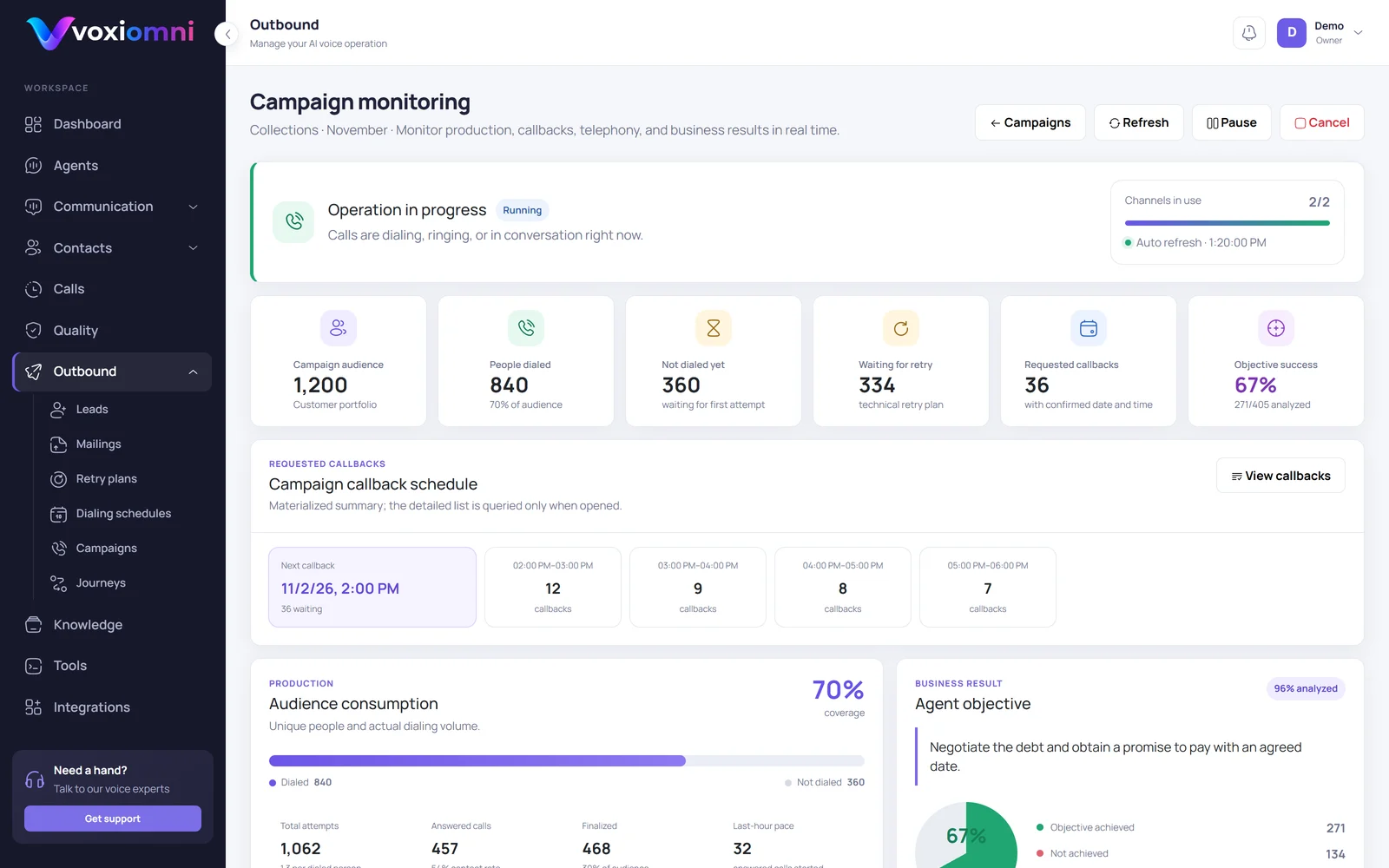
Set up your campaign before you start. Monitor progress and pause new calls whenever needed.
Import a CSV or select your contacts. Use the entire audience or combine filters such as debt amount and number of installments.
Select available phone fields and order attempts to match your operation.
Work through one person's phone numbers first, or work across the audience in phone-field order.
Choose a published agent, caller number, concurrent channels, and an immediate or scheduled start.
Use plans with calling days and times by area code. The phone number determines the local time used for dialing.
Set retry limits and intervals by call outcome, with reusable plans.
Explore a campaign and see what happens when the customer negotiates or requests a callback.
The agent receives the available data to guide the conversation according to your instructions.
Choose how to work through the audience and when to retry. Operators can track progress and pause the campaign.
Explore both examples to see how the campaign records a negotiation or preserves a callback request.
Indicators appear after the conversation is processed. Callbacks are saved in the campaign schedule with the customer's original request.
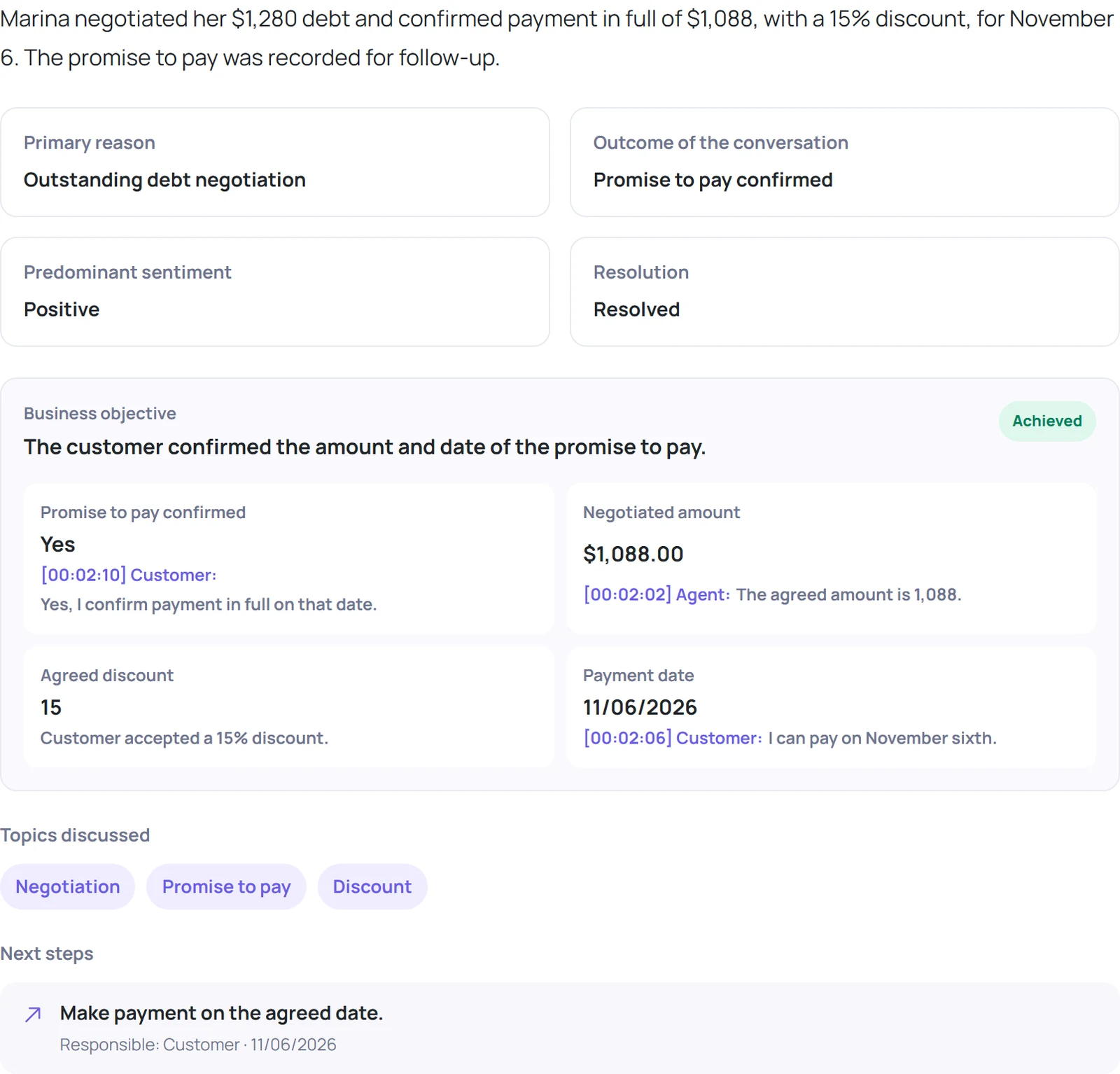
Promise to pay recorded, with supporting evidence from the conversation.
“Can you call me tomorrow at two?”
Request saved in the schedule, tracked separately from technical retries and agent success metrics.
See contacted and pending audiences, active calls, and call-ending reasons. Track callbacks by time slot and review appointments when needed.
Use knowledge, REST tools, and variables to give your agent context. Retrieve results and connect call events to your systems through the available API and webhooks.
Create your agent, select an audience, and track results.
Create my agentView pricing